In today’s fast-paced business environment, efficiency and clarity are key to success. Complex processes can often be challenging to comprehend, resulting in confusion, inefficiencies, and errors. This is where workflow charts, also known as workflow diagrams, come into play. These visual tools provide a high-level, simplified view of how a process works, making it easier for everyone involved to understand and follow along.
Table of Contents
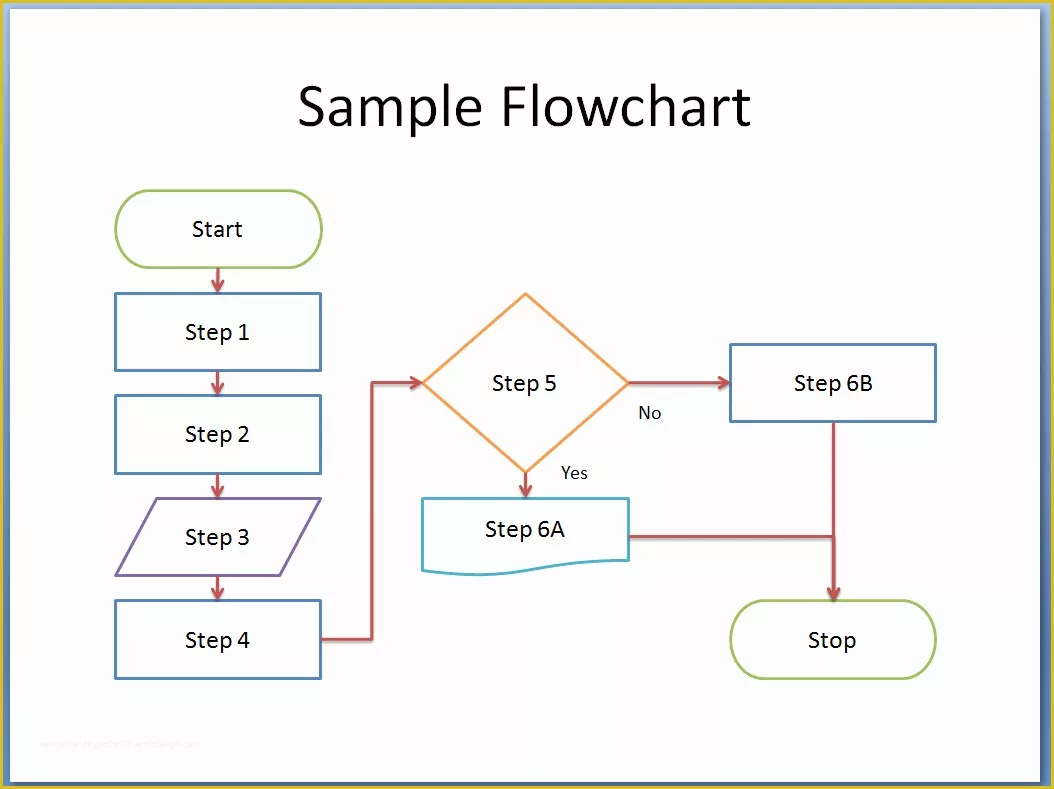
By visually communicating complex processes, workflow charts help to streamline operations, improve communication and collaboration, identify bottlenecks and inefficiencies for process improvement, and serve as a valuable tool for training new staff.
What is a Workflow Chart?
A workflow chart is a visual representation of a process or workflow. It uses symbols, shapes, and lines to illustrate the steps involved in completing a task or achieving a specific goal. Workflow charts are used to simplify complex information, making it easier to understand and follow.
They provide a clear and concise overview of how a process works, helping to identify the sequence of tasks, decision points, and interactions between different stakeholders.
Reasons To Use Flowcharts
Flowcharts are a type of workflow chart that uses symbols and arrows to represent the sequence of steps in a process. They are widely used in various industries for their versatility and effectiveness in visually communicating complex processes.
Visual Representation of Processes
One of the main reasons to use flowcharts is their ability to provide a visual representation of processes. Instead of long, text-based descriptions, flowcharts offer a clear and concise overview of how a process works. This visual approach makes it easier for individuals to understand the steps involved and the relationships between them.
Ease of Understanding
Flowcharts are easy to understand, even for individuals unfamiliar with the process being depicted. The use of symbols and arrows simplifies complex information, making it accessible to a wider audience. This ease of understanding is particularly beneficial when communicating processes to team members, clients, or stakeholders.
Identifying Dependencies
Flowcharts are useful for identifying dependencies between different steps in a process. By visually representing the sequence of tasks and their relationships, flowcharts highlight any dependencies that may exist. This information is valuable for ensuring that tasks are completed in the correct order and that no steps are missed.
Decision-Making Tool
Flowcharts can also serve as a decision-making tool, helping individuals to visualize different options and outcomes. By mapping out the decision-making process in a flowchart, individuals can see the potential consequences of each choice and make informed decisions based on the information presented.
Improving Communication
Flowcharts improve communication within an organization by providing a common visual language for discussing processes. Team members can refer to a flowchart to understand how a process works, ask questions, or suggest improvements. This shared understanding fosters collaboration and ensures that everyone is working towards the same goals.
Streamlining Operations
Flowcharts help to streamline operations by identifying inefficiencies and bottlenecks in a process. By visualizing the steps involved, organizations can pinpoint areas that are slowing down the process or causing delays. Once these inefficiencies are identified, steps can be taken to optimize the process and improve overall efficiency.
Training New Employees
Flowcharts are valuable tools for training new employees on how a process works. Instead of relying on lengthy written manuals or verbal explanations, organizations can use flowcharts to visually demonstrate the steps involved in completing a task. This visual aid helps new employees understand their roles and responsibilities more effectively, leading to quicker onboarding and improved performance.
7 Types of Workflow Diagrams
Several types of workflow diagrams can be used to visually represent a process. Each type of diagram has its own unique features and is suited for different purposes. Understanding the various types of workflow diagrams can help organizations choose the most appropriate one for their needs.
Flowcharts
Flowcharts are the most common type of workflow diagram, using symbols and arrows to represent the sequence of steps in a process. They are versatile tools that can be used in various industries and are particularly effective for simplifying complex processes.
Swimlane Diagrams
Swimlane diagrams divide the process into lanes, showing the responsibilities of different stakeholders or departments. This type of diagram is useful for illustrating how different parts of an organization work together to complete a task or achieve a goal.
Gantt Charts
Gantt charts are used to illustrate the timeline of a project, showing the start and end dates of each task. This type of diagram is valuable for project planning and management, providing a visual representation of the project schedule.
Process Maps
Process maps provide a detailed overview of a process, including the inputs, outputs, and decision points. This type of diagram is useful for analyzing how a process works and identifying areas for improvement.
Data Flow Diagrams
Data flow diagrams focus on how data flows through a system, showing the inputs, outputs, and processes involved. This type of diagram is essential for understanding how information moves within an organization and can help identify data-related issues.
Value Stream Maps
Value stream maps focus on the value-added and non-value-added steps in a process, helping to eliminate waste. This type of diagram is valuable for organizations looking to streamline their processes and improve efficiency.
Swimlane Flowcharts
Swimlane flowcharts combine the features of flowcharts and swimlane diagrams, showing both the sequence of steps and the responsibilities of different stakeholders. This type of diagram is useful for illustrating how different parts of an organization work together to achieve a common goal.
Network Diagrams
Network diagrams are used to show the relationships between different elements in a system or process. This type of diagram is valuable for understanding the connections between various components and how they interact with each other.
Decision Trees
Decision trees are used to visualize the possible outcomes of a decision, showing the different choices available and their potential consequences. This type of diagram is helpful for decision-making processes and can provide a clear overview of the options available.
PERT Charts
PERT charts are used in project management to map out the activities and dependencies of a project. This type of diagram helps project managers plan and schedule tasks, ensuring that the project is completed on time and within budget.
When to Use a Flowchart?
Flowcharts are versatile tools that can be used in a variety of situations to simplify complex processes and improve communication. Knowing when to use a flowchart can help organizations effectively communicate processes and achieve their goals more efficiently.
Process Mapping
Flowcharts are commonly used for process mapping, where the steps involved in completing a process are visually represented. Process mapping helps to identify inefficiencies, bottlenecks, and opportunities for improvement within a process. By breaking down the process into sequential steps, organizations can streamline operations and improve efficiency.
Decision Making
Flowcharts can be used as a decision-making tool to visualize different options and outcomes. When faced with a complex decision, individuals can map out the possible choices and their consequences in a flowchart. This visual representation helps individuals make informed decisions based on the potential outcomes of each choice.
System Analysis
Flowcharts are effective for system analysis, where the flow of data and processes within a system is analyzed. By mapping out the inputs, outputs, and processes involved in a system, organizations can gain a better understanding of how the system works and identify areas for improvement. Flowcharts help to visualize the connections between different components and how they interact with each other.
Project Planning
Flowcharts are valuable for project planning, where the tasks, dependencies, and timeline of a project are mapped out. Project managers can use flowcharts to plan and schedule tasks, ensuring that the project is completed on time and within budget. By visualizing the sequence of tasks and their dependencies, project managers can identify potential risks and allocate resources effectively. Flowcharts help to ensure that all team members are on the same page and working towards common project goals.
Training and Onboarding
Flowcharts are useful for training new employees and onboarding them to a process or system. New employees can refer to a flowchart to understand the steps involved in completing a task or following a process. This visual aid helps new employees grasp their roles and responsibilities more quickly, leading to smoother onboarding and improved performance.
Quality Control
Flowcharts can be used for quality control purposes to ensure that processes are performed consistently and efficiently. By mapping out the steps involved in a quality control process, organizations can identify areas where errors may occur and implement measures to prevent them. Flowcharts help to standardize processes and maintain quality standards within an organization.
Documentation
Flowcharts are valuable tools for documenting processes within an organization. By creating flowcharts for different processes, organizations can establish a standardized format for documenting procedures and workflows. This documentation is essential for ensuring consistency, training new employees, and facilitating process improvement initiatives.
Collaboration and Communication
Flowcharts promote collaboration and communication within an organization by providing a visual representation of processes that can be easily shared and understood. Team members can refer to a flowchart to understand how a process works, ask questions, or provide feedback. This shared understanding fosters collaboration, improves communication, and ensures that everyone is working towards common goals.
How to Draw a Flowchart
Drawing a flowchart is a straightforward process that involves following a few basic steps to create a visual representation of a process. By following these steps, organizations can effectively communicate processes and workflows clearly and concisely.
Step 1: Identify the Process
The first step in drawing a flowchart is to clearly identify the process or workflow that you want to represent. Define the starting point, ending point, and the sequence of steps involved in completing the process. This initial planning stage is essential for creating a clear and accurate flowchart.
Step 2: Determine Symbols and Shapes
Choose the appropriate symbols and shapes to represent different elements of the process, such as tasks, decisions, start/end points, and connectors. Flowchart symbols typically include rectangles for tasks, diamonds for decisions, circles for start/end points, and arrows for connections between steps. Selecting the right symbols ensures that the flowchart is easy to understand and follow.
Step 3: Draw the Flowchart
Using a flowchart tool or software, create the flowchart by placing the symbols and shapes on a canvas and connecting them with arrows to show the sequence of steps. Start with the starting point of the process and continue to add shapes for each task or decision along the way. Use arrows to connect the shapes in the correct order of the process flow.
Step 4: Test and Refine the Flowchart
Review the flowchart with stakeholders, team members, or subject matter experts to ensure that it accurately represents the process. Seek feedback on the clarity, accuracy, and completeness of the flowchart and make any necessary adjustments or refinements. Testing the flowchart ensures that it effectively communicates the process and is understandable to all users.
Step 5: Finalize and Distribute the Flowchart
Once the flowchart has been tested and refined, finalize the design and format of the flowchart. Add any additional information or details that may be necessary for users to understand the process. Distribute the flowchart to team members, employees, or stakeholders who need to reference or follow the process, ensuring that it is easily accessible and available for use.
By following these steps, organizations can create clear, concise, and effective flowcharts that communicate processes and workflows in a visual and accessible format. Flowcharts are valuable tools for simplifying complex processes, improving communication, and streamlining operations within an organization.
Conclusion
In conclusion, workflow charts, such as flowcharts, are powerful tools for simplifying complex processes, improving communication and collaboration, and identifying inefficiencies for process improvement. By visually representing processes clearly and concisely, workflow charts help organizations streamline operations, optimize processes, and train new staff effectively. Understanding the different types of workflow diagrams and knowing when to use a flowchart are essential for organizations looking to enhance efficiency and achieve their goals more effectively.
Drawing flowcharts using the correct symbols and steps ensures that processes are communicated in a way that is easy to understand and follow for all stakeholders. Incorporating flowcharts into various aspects of operations, from project planning to quality control, can lead to increased efficiency, improved decision-making, and standardized procedures within an organization.
Workflow Chart Template – EXCEL